
Printable Mazes Free: 4 Maze Generators You Need to Try
Make custom printable mazes with 4 free generators: shapes, difficulty, PDFs with solutions, and licensing. 2026 comparison.
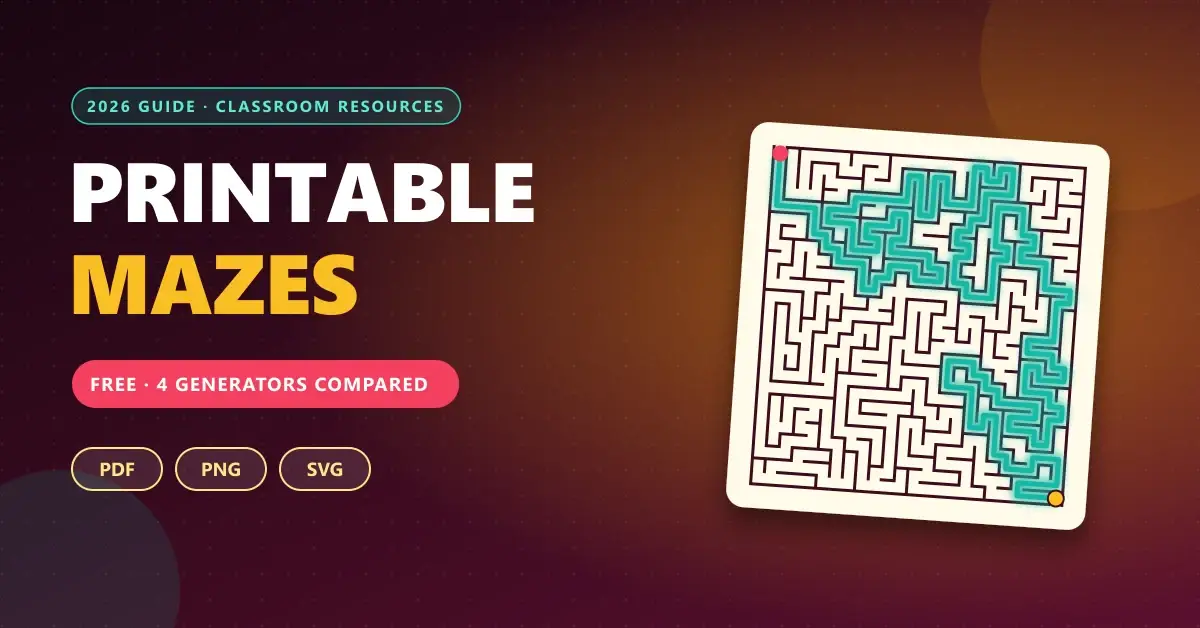
Ten minutes of class left, half the group has already finished, and the other half hasn’t. Or it’s a rainy Saturday afternoon and you need something that keeps the kids busy without screens. You search for “printable mazes” and keep finding the same four drawings, blurry and surrounded by ads.
There’s a better way: generate your own mazes with the size, shape, and difficulty you need, and download them ready for the printer. Every one is different, and yours is one nobody else has.
In this guide we compare four free printable maze generators, look at what each one offers according to its own page, and measure something almost nobody explains: why some mazes are so much harder than others, so you know which one to try first.
How Does a Printable Maze Generator Work?
A generator starts with a grid of cells with no passages and “carves” paths with an algorithm until every cell is connected. The result is a perfect maze: exactly one path exists between the entrance and the exit, with no loops.
What changes between tools is how much control they give you. These are the options that matter most when preparing material:
- Size: more cells means more time to solve it.
- Cell shape: square, hexagonal, triangular, or circular.
- Difficulty: usually tied to the generation algorithm (more on that below).
- Output format: PDF to print directly, PNG to drop into a document, or SVG if you need to scale it without losing quality.
- Solution sheet: essential if you’ll be grading or handing out many mazes.
The 4 Tools Head to Head: 2026 Comparison
Before diving into the details, this table summarizes what each generator states on its own page (checked in October 2026):
| Olesur | MazeGenerator.net | PuzzleGenio | Incompetech | |
|---|---|---|---|---|
| Language | Spanish, English, and French | English | Spanish and English | English |
| Sign-up | No | No | No | No |
| Shapes | 4 cell types and 10 outlines | Rectangular, circular, triangular, and hexagonal | Rectangular | Grid, with 6 line styles |
| Max size | Set by columns and rows | 200 × 200 cells | 200 × 200 cells | Small, medium, large, and huge |
| Difficulty level | Easy, medium, and hard, plus loop control | Not stated | 5 levels, from “Kids” to “Impossible” | 4 levels, each with its own algorithm |
| Downloads | PDF, PNG, and SVG | Not detailed on its main page | PDF, PNG, and SVG | PDF, PNG (300 dpi), and SVG |
| Solutions | Optional solution sheet | Not stated | Page 2 of the PDF | Configurable solution color |
| Commercial use | Not detailed | Not free (separate section) | Allowed for PDF and SVG | Public domain (CC0) |
How to read the table: “Not stated” means the tool’s main page doesn’t mention it, not that the feature doesn’t exist. Always check the site itself before using the material in a specific project.
Olesur: The Most Complete Option for Teachers
The Olesur generator is the one that feels most like a tool built for the classroom. It’s free, requires no sign-up, and is available in Spanish, English, and French. Olesur presents it as an open educational resource for teachers and families.
Shape, Algorithm, and Difficulty Options
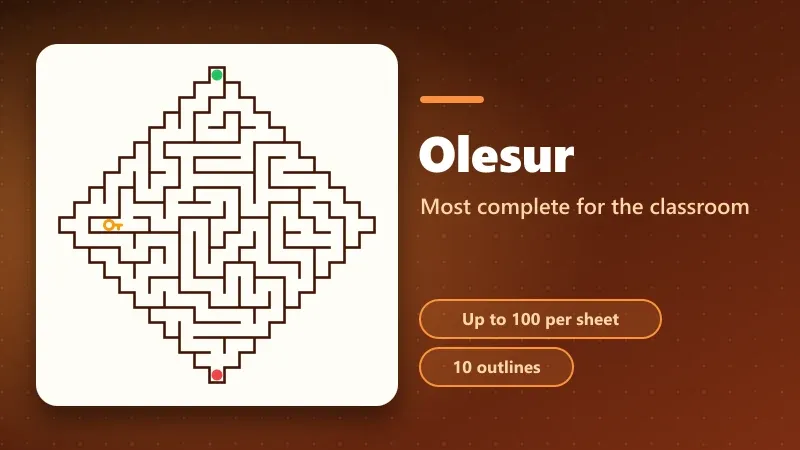
This is its biggest strength. You can pick the cell shape (square, hexagonal, triangular, or circular) and also the maze’s overall outline from ten options, such as diamond, star, or cross.
You also choose the algorithm (Recursive Backtracker, Prim, Kruskal, or Eller) and a “loops” control: more loops mean more alternative paths and, according to its own help text, an easier maze.
Class Notebooks and Print-Ready Sheets
This is what sets it apart from the other three. You can request a sheet with 1, 2, 4, 6, 8, 10, 25, 50, or 100 mazes, or a “class notebook” that mixes shapes and outlines with rising difficulty. Add a title, student name, background color, and even an image, and turn on the solution sheet at the end.
It exports to PDF, PNG, or SVG, on A4, A5, Letter, or Legal paper.
An uncommon extra: it includes an on-screen play mode with arrow keys or WASD, and a variant with a key you must collect before reaching the exit. It’s handy for a projector activity, but the special views (fog and 3D) aren’t exported to the printable sheet.
MazeGenerator.net: Varied Shapes and Huge Sizes
MazeGenerator.net is one of the best-known generators. Its strength is shapes: rectangular, circular, triangular, and hexagonal, with sizes from 2 × 2 up to 200 × 200 cells.
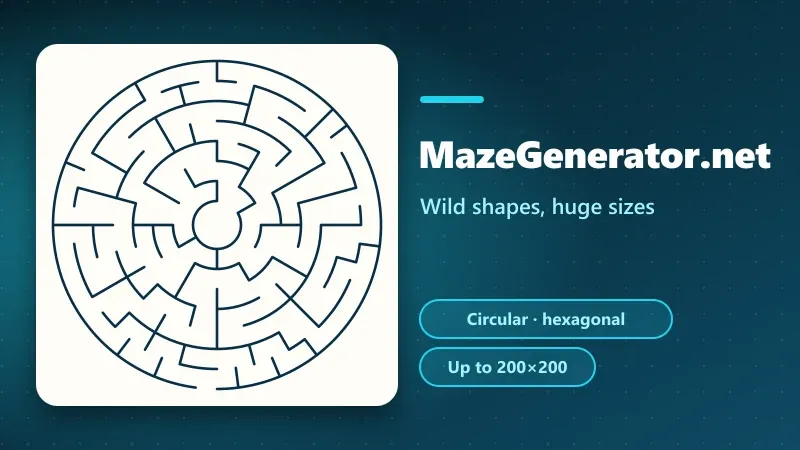
You can choose whether the route starts at the top, bottom, or an “inner room,” and tweak two advanced parameters, E and R, from 0 to 100. The page doesn’t explain what they control, so you’ll have to experiment.
The Commercial Use Fine Print
This is the most important thing to know before using it. According to the site itself, the generated mazes are not free for commercial use, and it points to a separate page with the terms. Handing material out in class is rarely a problem, but if you plan to sell a maze workbook, review that license first.
It also doesn’t detail export formats on its main page.
PuzzleGenio: Five Levels and Reproducible Seeds
PuzzleGenio offers the most control over difficulty. It generates rectangular mazes with branches and dead ends, from 5 × 5 up to 200 × 200 cells. Its page is in Spanish, and the language selector currently lists only that language.
Graded Difficulty: From “Kids” to “Impossible”
It has five levels. “Kids” uses a 10 × 10 grid with more open paths; “Impossible” goes up to 40 × 40 with many dead ends. By default it uses the Recursive Backtracker algorithm, and an expert mode lets you switch to Prim (more dead ends) or Kruskal (balanced branches).
Download with the Solution Included
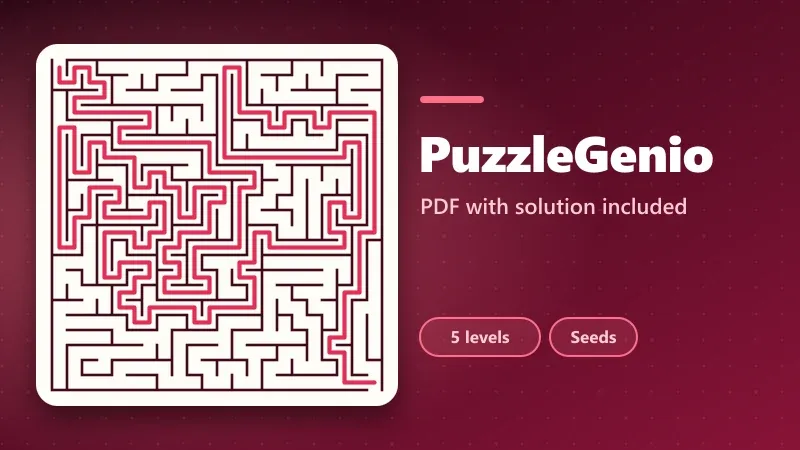
The PDF has the maze on page one and the solution in red on page two, so there’s nothing to switch on. It also downloads high-resolution PNG and SVG, with no watermark.
Each generation carries a seed: save the same settings and you get exactly the same maze. That’s useful for reprinting a version that already worked in class.
A limit to keep in mind: the free version shows ads, and a paid plan removes them.
Incompetech: Free, Serverless, and CC0-Licensed
Incompetech Maze is built, according to its own page, in the spirit of Kevin MacLeod’s graph paper generators. It’s the simplest of the four, but it has two advantages none of the others offers.
Public Domain and Offline Use
Everything it produces is released under CC0 1.0 (public domain). You can print it, sell it, modify it, or put it in a book without asking permission or crediting the author. The tool works with no server, and the full app can be downloaded to use offline or adapt.
Line Styles and Custom Paper
It has four difficulty levels (each using a different algorithm) and six visual styles: thin, squiggly, shadow, rounded, raised, and chunky 3D. You can change the colors of the walls, background, and solution, and choose Letter, A4, Tabloid, square, or a custom size in inches or centimeters. It exports PDF, SVG, and PNG at 300 dpi.
Its interface is in English, and it doesn’t mention options such as a title or student name.
Why Are Some Mazes Harder Than Others?
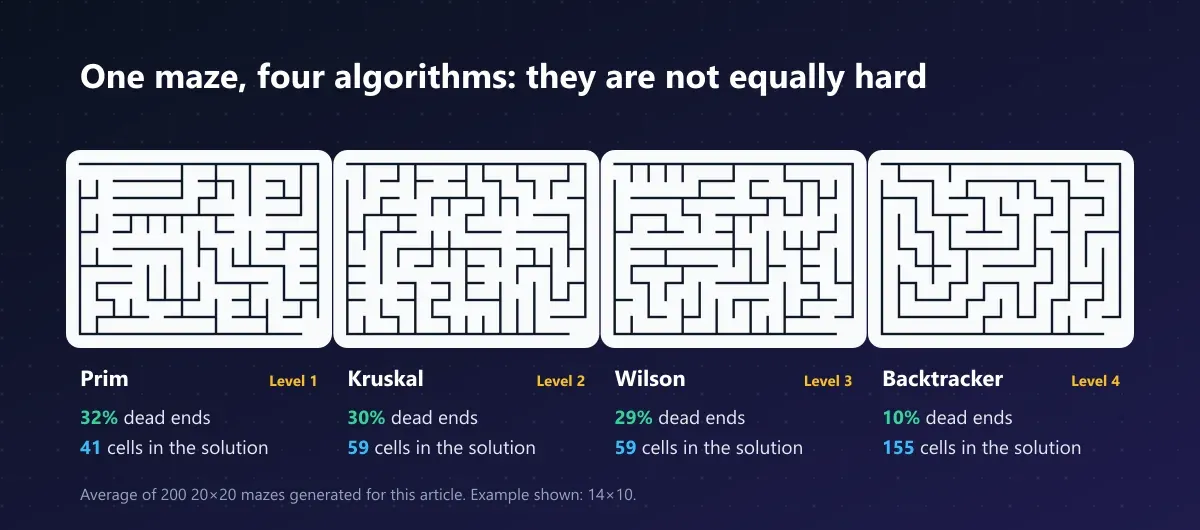
Incompetech says it plainly: each difficulty level uses a different algorithm (Prim, Kruskal, Wilson, and Recursive Backtracker), and “higher levels make longer solutions and deeper wrong turns.” To see how much the result changes, we coded all four algorithms and generated 200 mazes of 20 × 20 with each one.
| Algorithm | Dead ends | Cells in the solution (average) |
|---|---|---|
| Prim | 32% | 41 |
| Kruskal | 30% | 59 |
| Wilson | 29% | 59 |
| Recursive Backtracker | 10% | 155 |
The difference is huge. Prim mazes have many short dead ends, but the solution is brief: they’re easy even when they look tangled. The Recursive Backtracker produces few dead ends but creates long, winding corridors, with a solution almost four times longer.
For a young child, a Prim maze is friendlier. For someone looking for a challenge, the Backtracker is more tiring, even without as many dead ends.
What this experiment measures and what it doesn’t: these are averages of square 20 × 20 mazes produced by our own code, not by the tools themselves. Each site may tune the algorithm differently, so treat it as a guide to trends, not exact figures for any generator.
Which Generator Fits What You Need?
The best tool depends on the use:
- You want to build a classroom workbook in Spanish: Olesur. It’s the only one of the four that lists sheets of up to 100 mazes, student names, and rising difficulty.
- You need a maze with a solution and minimal effort: PuzzleGenio. The PDF already includes the solution on page two.
- You’re after uncommon shapes, like hexagons or circles: MazeGenerator.net or Olesur.
- You’ll sell or publish the material: Incompetech, thanks to its CC0 license. PuzzleGenio comes second, as it states commercial use is allowed for PDF and SVG.
- You want to laser-cut or engrave the maze: any tool that exports SVG, such as Olesur, PuzzleGenio, or Incompetech.
Tips for Printing Mazes That Can Actually Be Solved
A well-generated maze can still be ruined by the printer. These guidelines avoid the most common problems:
- Use PDF or SVG instead of screenshots. Lines stay crisp at any size.
- If you use PNG, make it 300 dpi (Incompetech offers it by default). Lower resolution blurs thin walls.
- Match line thickness to age. Children under 7 struggle to follow narrow paths with a pencil.
- Print a test copy before running 30. Some printers crop the edges and you lose the entrance or exit.
- Keep solutions on a separate sheet, not on the same page, so nobody sees them by accident.
And to broaden your activity toolbox, you can pair mazes with other classroom resources, like the self-grading worksheets from Liveworksheets or the games from Wordwall. If you’d also like an AI to help you design the instructions, we have a guide to ChatGPT and Gemini prompts for students.
Limitations to Know Before You Choose
No generator solves everything, and it’s worth knowing that up front:
- They aren’t authored content. An algorithmic maze has no theme or story; if you want it to tell something, you’ll need to add text or illustrations.
- Licenses vary widely. Between “not free” (MazeGenerator.net) and “public domain” (Incompetech) lies a difference that matters if you publish.
- Two of the four are English-only. MazeGenerator.net and Incompetech have no Spanish interface.
- Features change. The options described here are what each page shows in October 2026 and may be modified.
- Difficulty isn’t linear. As we saw, more cells doesn’t always mean harder: it depends on the algorithm.
Pick a Generator and Create Your First Maze Today
With four free tools, you no longer have to rely on the same old drawings. Olesur is the most complete for the classroom, PuzzleGenio the quickest way to a PDF with a solution, MazeGenerator.net the most varied in shapes, and Incompetech the only one with no restrictions at all.
Pick one, generate a test maze at the difficulty you need, and print it. If you use it in class or at home, tell us in the comments which one worked best and what age you tried it with.
CuriosoTech Team
Equipo editorial de CuriosoTech. Preparamos guías de tecnología y educación con fuentes oficiales y las actualizamos cuando algo cambia.
Tags
Comments