
eCity: Free City-Building Simulator for Learning Engineering
A free city simulator for Windows and Mac with 8 engineering challenges: what it offers, its limits, and how to use it in class.
How do you show a group of high school students that every engineering decision has consequences? That a factory brings jobs and taxes, but also pollution and higher energy demand? With a slideshow, the idea is forgotten within a week.
eCity offers another route: a free city simulator where students solve engineering challenges and see the effect of their decisions. It was created by European universities in an educational project funded by the European Union.
In this guide we explain what eCity really is, how it works, what limitations it has today, and how to make the most of it in class.
What Is eCity and Who Created It?
eCity came out of the “Virtual city environment for engineering problem based learning” project, funded by the European Union’s Erasmus+ programme from January 1, 2014 to December 31, 2015, according to the project page at the University of Vigo.
Its goal was to bring problem-based learning into engineering education and spark interest in the field among secondary and vocational students. The official project website lists the partners:
- Instituto Superior de Engenharia do Porto (Portugal)
- University of Vigo and University of Valencia (Spain)
- University of Thessaly (Greece)
- Fondazione Ikaros (Italy)
- Virtual Campus Lda. (Portugal), which publishes the game
- Ayas Naime Ali Karatas Cok Programli Lisesi (Turkey)
The team presented the project at the IEEE EDUCON 2015 conference in the paper “ECity: Virtual city environment for engineering problem based learning” (DOI 10.1109/EDUCON.2015.7095966).
How Does eCity Work? Game Modes and Challenges
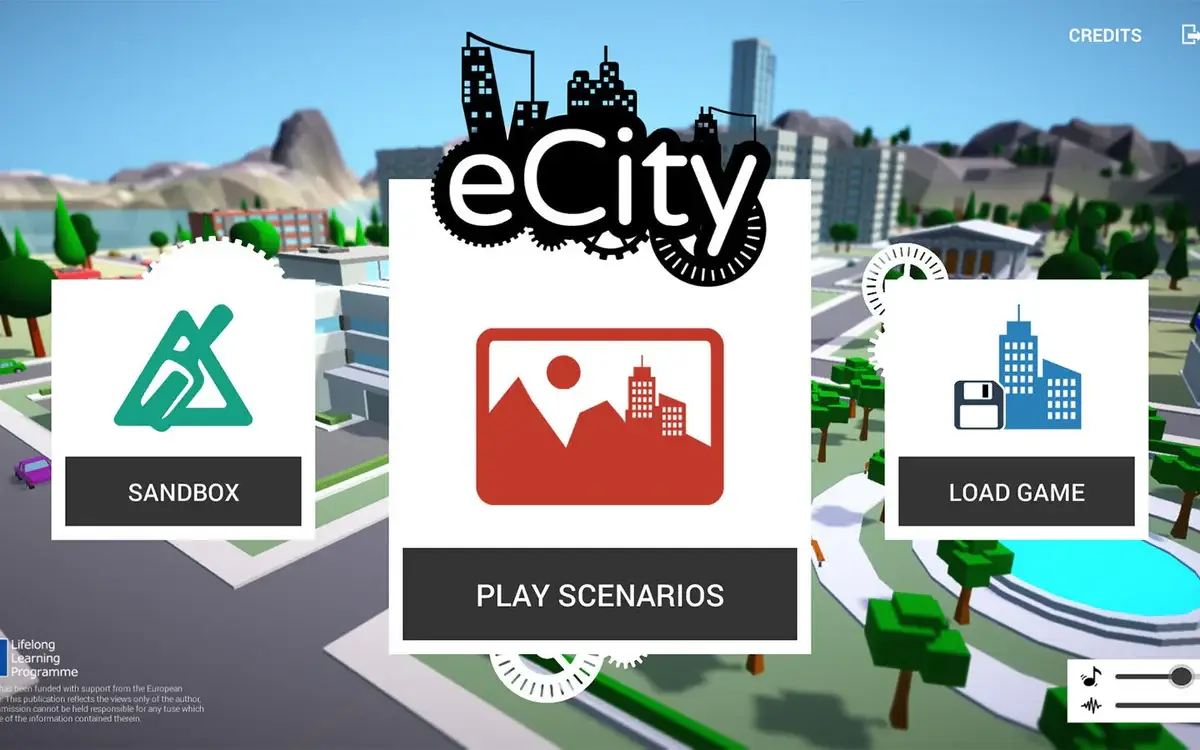
According to its Microsoft Store listing, eCity is a city simulation game where you have to solve different engineering problems. The main menu offers three options: Sandbox, Play Scenarios, and Load Game.
Scenarios: 8 Urban Engineering Challenges
Play Scenarios includes eight scenarios covering topics such as energy distribution, pollution, networking, transportation, and natural disasters. Each challenge has a time limit, and the game itself advises pausing to make decisions without losing money.
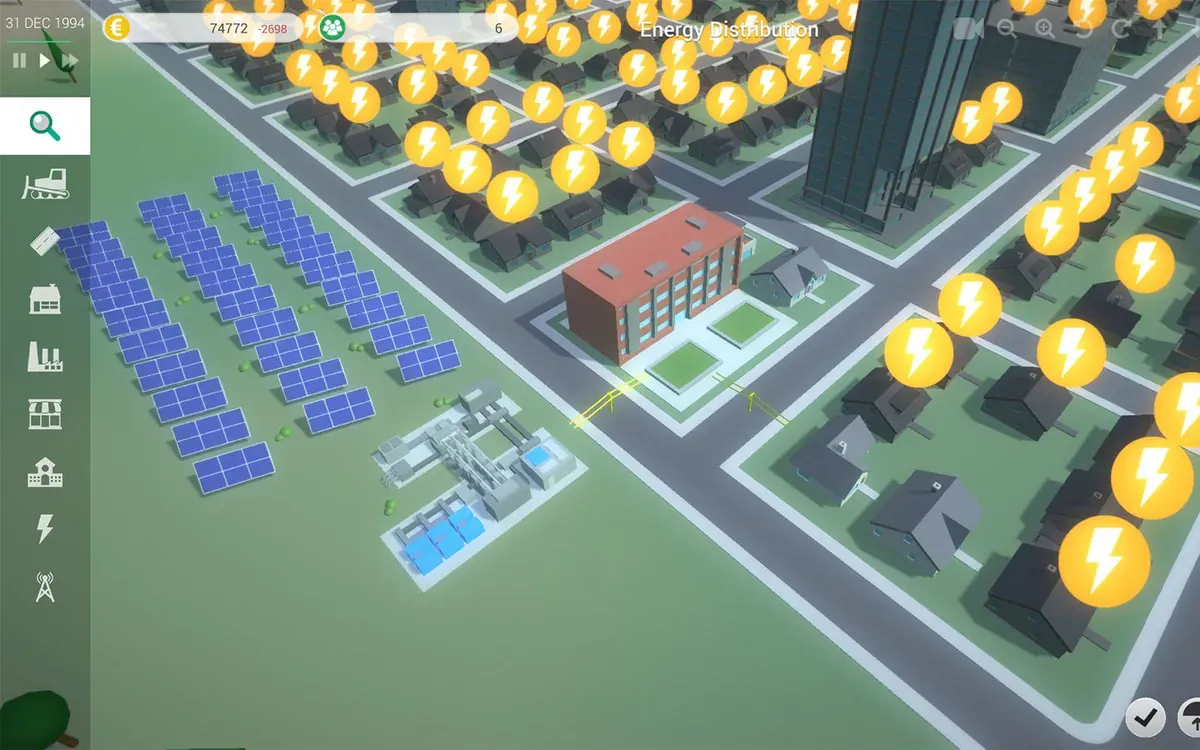
The official screenshot of the Energy Distribution scenario, for example, shows solar panels, a power facility, and homes marked with lightning icons: the challenge revolves around getting energy to the city.
Sandbox Mode and Random Terrain
In Sandbox you build without a fixed goal. The official screenshots show generated terrain with mountains, rivers, and plains, alongside a Randomize button to get a different one before starting.
Industry, Taxes, and Energy: Decisions with Consequences
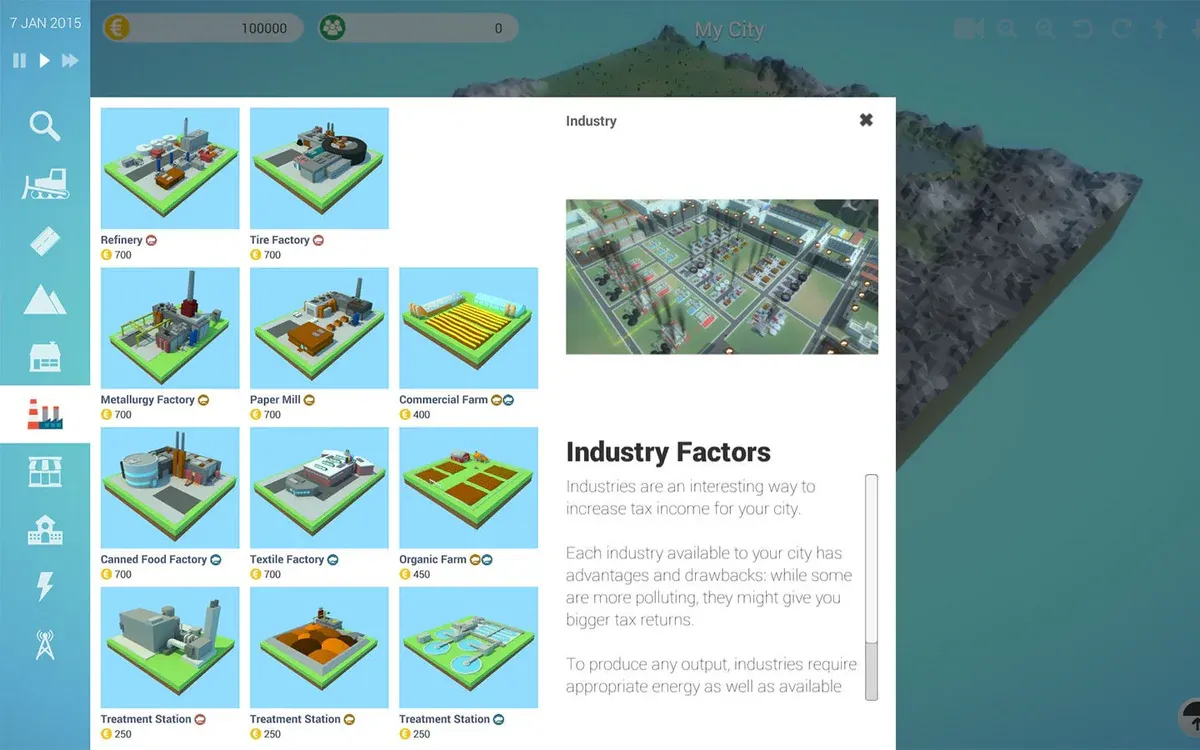
Among other options, the build menu includes industries such as refineries, paper mills, textile plants, and farms, plus treatment facilities. Each industry shows its pros and cons: it raises tax income, but some pollute more, and all of them need energy and resources to produce.
That balance between profit, pollution, and energy is exactly what makes eCity useful for working with open-ended problems.
Scenario Editor for Creating Your Own Challenges
eCity includes a scenario editor, designed so the community can contribute new challenges. For a teacher, this makes it possible to adapt a challenge to the topic being covered in class.
eCity Fact Sheet: Price, Platform, and Language
| Item | Detail | Source |
|---|---|---|
| Price | Free | Microsoft Store |
| Platforms | Windows (desktop; x86, x64, and ARM) and Mac (macOS 10.6.6 or later) | Microsoft Store and Mac App Store |
| Approximate size | 152 MB | Microsoft Store |
| Language | English only | Microsoft Store |
| Published by | Virtual Campus Lda. | Microsoft Store |
| On Microsoft Store since | January 2018 | Microsoft Store |
| Latest version | 1.5.1, from January 5, 2016; AlternativeTo lists it as discontinued | Mac App Store and AlternativeTo |
Before planning a lesson: install it and play through a full scenario on the classroom computer. Since the project is no longer actively developed, it’s worth confirming it runs well on your version of Windows.
How to Use eCity in Class with Problem-Based Learning
Here are some ways to integrate it, following the approach it was designed for:
- Framing: present a scenario, such as energy distribution, as a real problem facing the city.
- Teamwork: each group decides on a plan and justifies it in writing before building.
- Simulation: the group applies its plan and notes what happens to money, energy, and pollution.
- Debrief: teams compare results and explain what they would change.
- Extension: with the scenario editor, the teacher creates a challenge tied to the curriculum.
Since the interface is in English, it can also help build technical vocabulary in bilingual classes. For students with limited English, prepare a sheet with the key menu terms.
If you’re looking for simulators in other areas, PhET covers physics, chemistry, and math, and Wokwi lets you simulate Arduino and ESP32 circuits in the browser.
eCity Limitations You Should Know
- English only: the Microsoft Store listing includes no other languages.
- Computers only: it’s available for Windows and Mac, but we haven’t found a version for phones or tablets. The Mac version dates from 2016.
- No active development: the last recorded version is from 2016, so don’t expect updates or support.
- Modest graphics and scope: it’s an educational project, not a commercial simulator like SimCity or Cities: Skylines.
- Little public evidence of its effectiveness: the academic paper exists, but we haven’t found openly accessible evaluation results.
How to Download eCity for Free on Windows or Mac
- Open the eCity listing on Microsoft Store on Windows, or the Mac App Store listing on a Mac.
- Click Get and install it (about 152 MB on Windows).
- From the main menu, choose Play Scenarios for guided challenges or Sandbox to build freely.
eCity: A Free, Honest Resource for Introducing Engineering
eCity isn’t the most modern simulator, but it delivers what it promises: free urban engineering challenges backed by a European university project. It works best as a starting point for discussing decisions rather than as an assessment tool.
Download it, try the energy distribution scenario, and tell us in the comments how you would use it with your students.
CuriosoTech Team
Equipo editorial de CuriosoTech. Preparamos guías de tecnología y educación con fuentes oficiales y las actualizamos cuando algo cambia.
Comments